Connect without moving the catalog
Utomo connects the relevant Pimcore product name, image, and selected attributes to a Compliance record. Teams can begin the DPP project without first rebuilding the catalog in another system.

Use product information managed in Pimcore as the source for Digital Product Passports managed and published through Utomo Compliance.
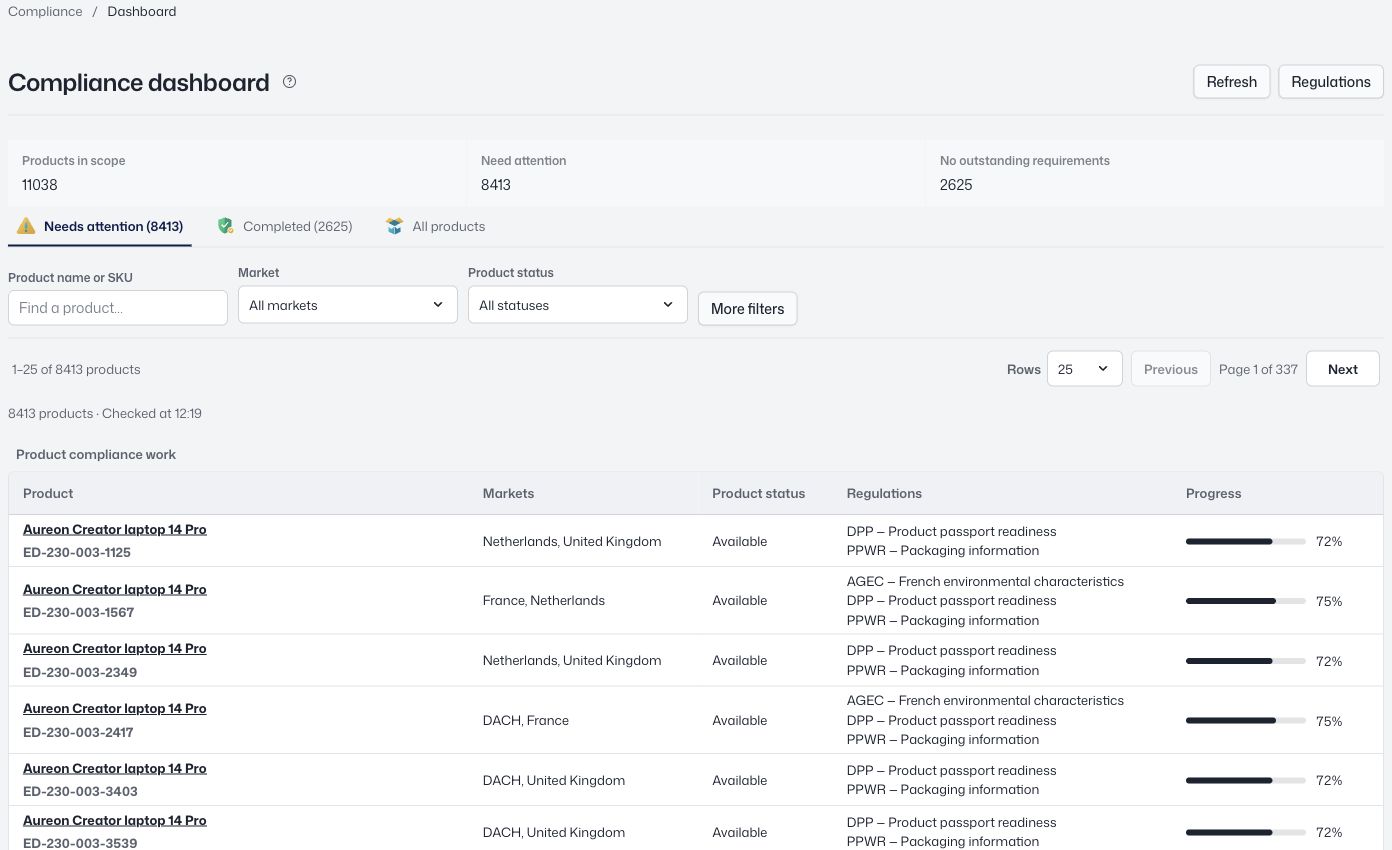 View screen
Utomo connects the relevant Pimcore product name, image, and selected attributes to a Compliance record. Teams can begin the DPP project without first rebuilding the catalog in another system.
Pimcore remains the source for the linked product information. Utomo adds the structured materials, packaging, environmental data, supporting documents, and access controls needed for the passport.
A stable source-ID binding keeps the connection intact through product renames. Utomo then publishes a versioned passport using GS1 Digital Link, accessible through QR code or NFC.
Not for the standalone Compliance workflow. Pimcore can remain the source product system while Utomo manages and publishes the linked passport.
Yes. The broader Utomo Compliance proposition includes a later path from a linked external product into UTOMO CLOUD when the organisation is ready.
This page is intentionally limited to the Digital Product Passport use case. Any broader data exchange or channel requirement should be scoped separately.
Connect product records, components, materials, and supplier evidence. Review submissions, prepare product passports, and preserve what you published as a versioned record.
GuidesKeep your existing product system. Use Utomo as a passport layer alongside Akeneo, inRiver, Pimcore, or the product data you already maintain.
ProductUtomo uses GS1 Digital Link to give each published Digital Product Passport a durable web identifier that can be opened from a QR code or NFC tag.
Explore the workspace with your own catalog in a 30-day trial.