


 Google Merchant
 ChannelsSyndication
The same product. The right fields for each destination.
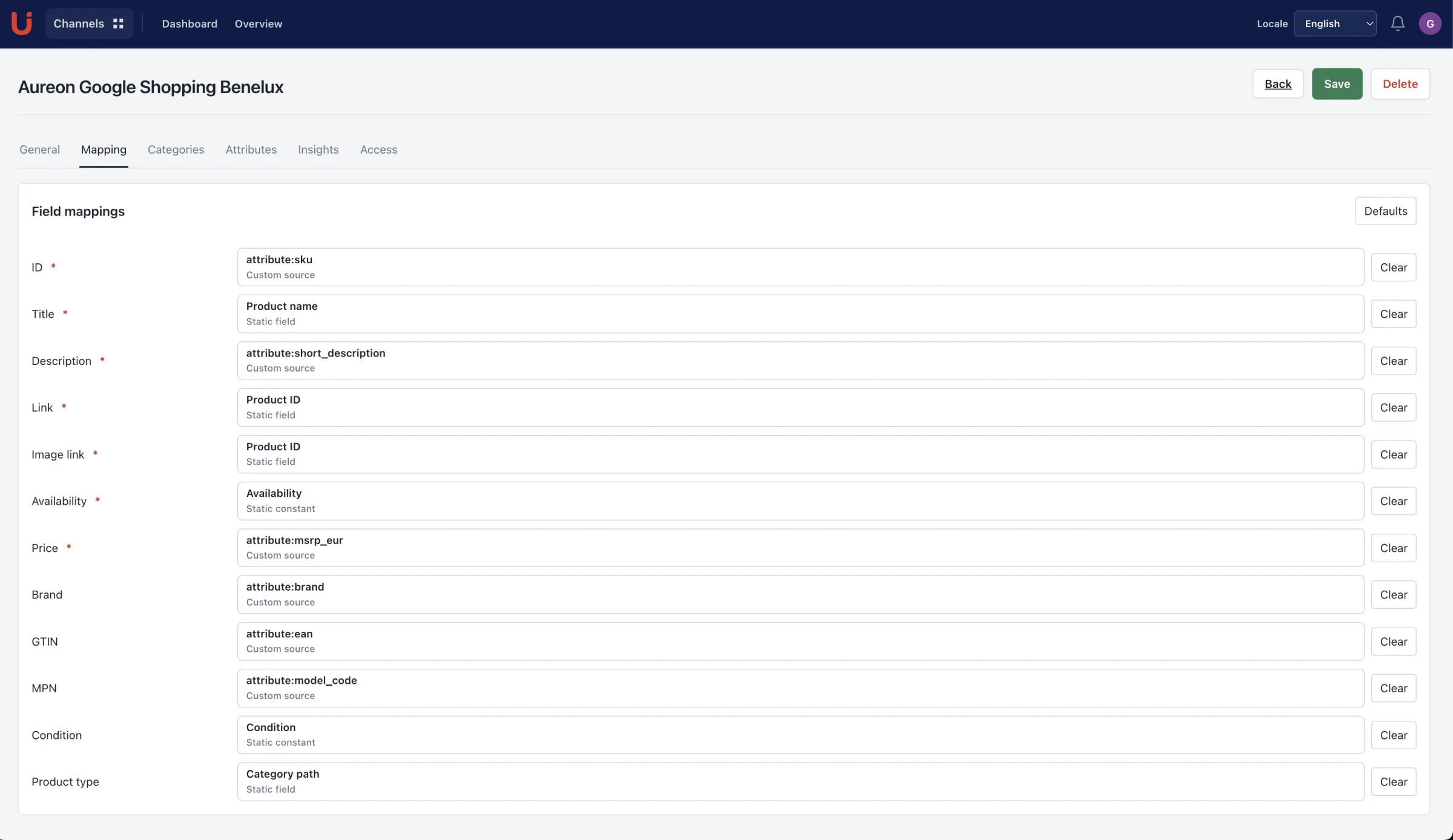
Choose a channel template, map product information to its fields, and control the selection you share. Deliver a hosted feed or generate scheduled files where the template supports it.
Product fieldsDestination fields
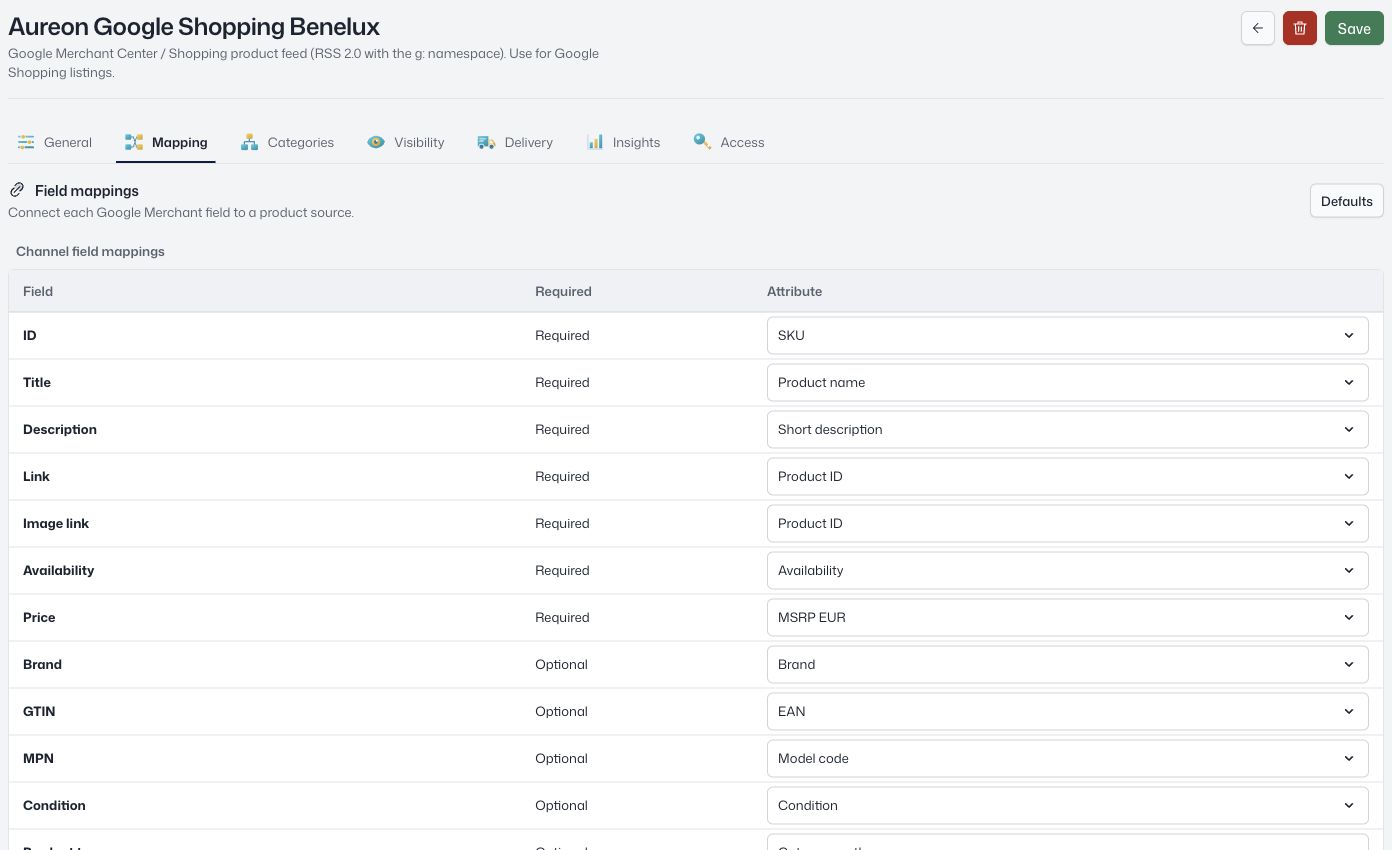 View screen
Channels
Map and share product data with marketplaces and sales channels.
Loading current plans and app prices…
Connections
Choose what leaves the workspace.
Use catalog visibility and product selections to define the range a channel can access. Map source attributes to the destination’s field names instead of rebuilding the product data.
A template provides a starting structure; destination-specific setup and requirements still apply.
Scheduling
Give the feed a schedule. Follow the result.
Create delivery jobs for workspace storage or SFTP. Choose the feed, frequency, UTC schedule, and filename, then inspect the run history and delivery result.
Hosted-feed access and scheduled file delivery are separate options. Templates are not a promise of direct marketplace API publishing.
Choose a template
Start with the destination’s field structure.
Map and select
Connect fields and scope the product range.
Set delivery
Use supported hosted feeds or file jobs.
Check the result
Review requests, delivery runs, and errors.
A closer look at Channels.
Explore the product screens and the work behind them. Select a view, then open it to inspect the details.
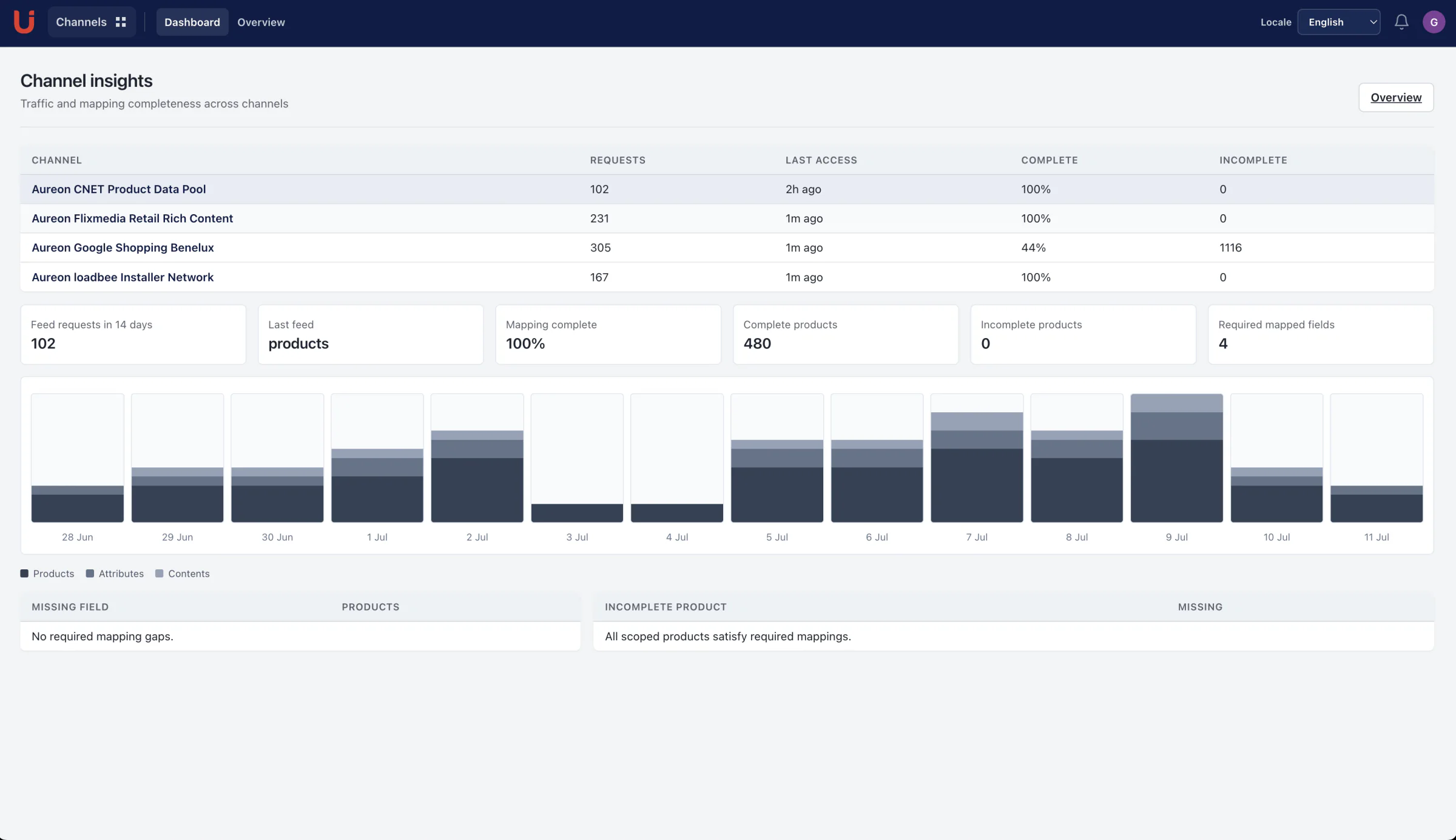
Know how your feeds are used
Protect feed endpoints with tokenized URLs and review request activity. Scheduled files support destinations that do not consume hosted feeds.
Keep the work connected.
A few more useful details.
Refresh hosted-feed access
Rotate a channel’s token when access needs to change.
Work with several file formats
Templates define XML, CSV, TSV, or JSON output; the format depends on the selected template.
Separate configuration from delivery history
A queued delivery records the channel revision. Changed configuration must be queued again.
Regional settings
Select the locale used for product values.
A destination for your next product story.
Explore the channel formats and delivery methods. Scheduled file delivery is distinct from a direct marketplace API integration.
No matches yet. Try a different word or choose another topic.
DestinationFormatDelivery
Google Merchant Meta Catalog
 Microsoft Merchant Center
 Pinterest Catalogs
 TikTok Catalog
 Snapchat Catalog
 Awin
 CJ Affiliate
 impact.com
 idealo
 PriceRunner
 Flixmedia
 loadbee
 CNET Content Solutions
 Amazon
 eBay
 bol
 Walmart Marketplace
Shopify
CSVScheduled file WooCommerce
 Adobe Commerce
 BigCommerce
 Zalando
 OTTO Market
 Kaufland Global Marketplace
 ManoMano
 Cdiscount
 Fnac Darty
 Rakuten
 Faire
 Default
“Having all our data in one place simplifies transport to various channels – from internal ERP and website CMS to external customer content or product systems.”
Build a feed around your product data.
Explore the workspace with your own catalog.