Fewer launch delays
Teams can enrich products from a shared source instead of chasing missing specs and media across departments.

Utomo connects the product information that usually lives across spreadsheets, drives, and disconnected tools.
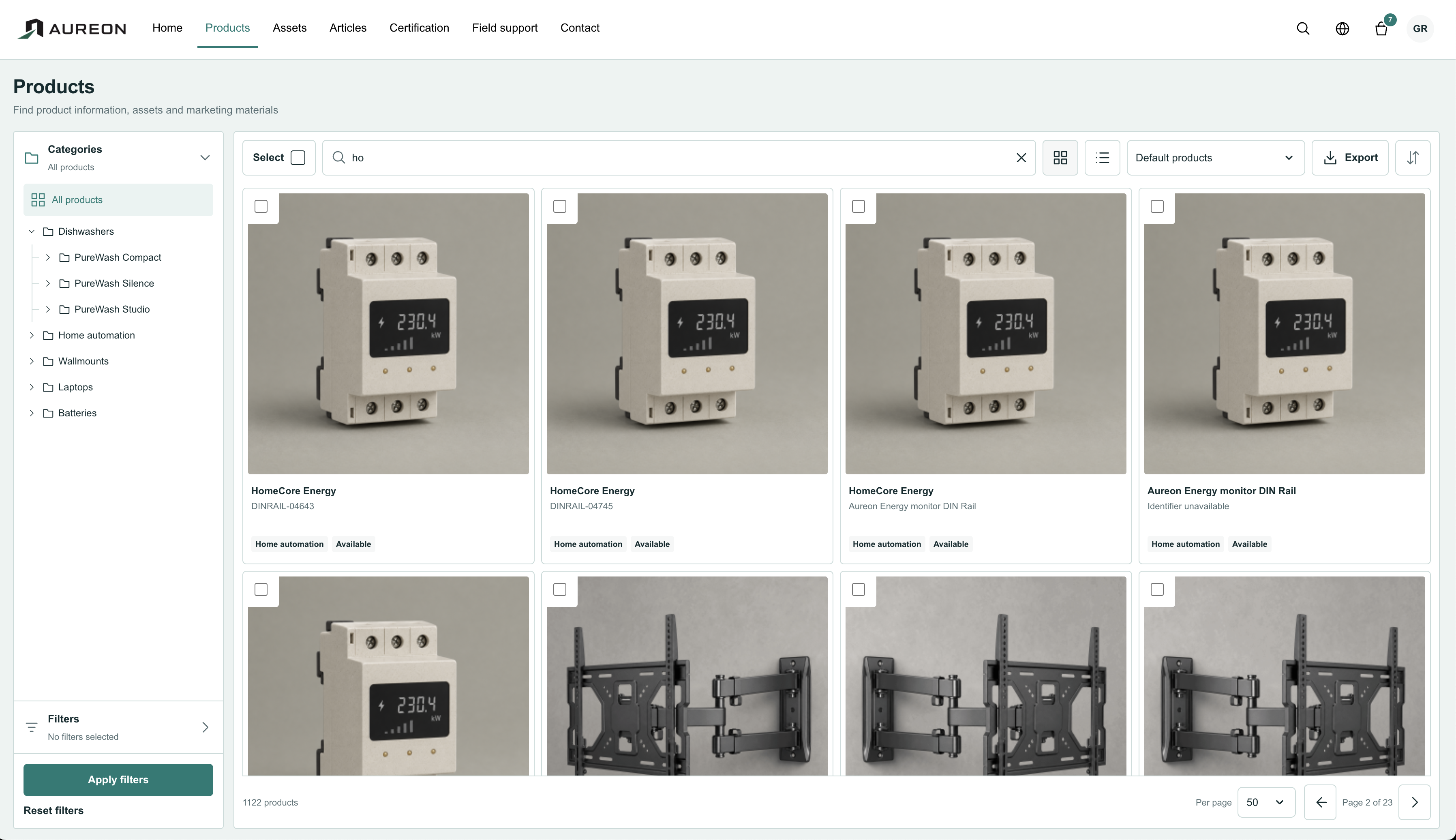 View screen
Teams can enrich products from a shared source instead of chasing missing specs and media across departments.
Consistent product data reduces duplicate work and avoids mismatched content between web, catalog, and marketplace output.
Accurate descriptions, documents, images, and specifications reduce confusion before and after purchase.
Each customer account owns its tenant, so one company never sees another company data or activity.
Attributes, identifiers and variants drift between spreadsheets and systems.
Manage attributes, categories, variants and lifecycle states in one consistent product model.
See what product teams are doing with Utomo, and explore the workflows behind a better product experience.
ProductUtomo brings Products, Assets, Articles, Channels, Shop, Partner, and Compliance into one private workspace.
IndustriesEvery industry has its own product data, channels, and compliance pressures. See how Utomo adapts to yours.
Bring your products, your team, and the work you want to improve. We can help you shape the setup and keep improving it as your needs change.
Talk through your rolloutGet help collecting, cleaning, and enriching product information, defining your model, and preparing the first import.
Learn with the products and tasks your team handles every day, from maintaining attributes to preparing content for publication.
Scope channel API connections, tailored models, and additional features around the systems and destinations you use.
Work with a consultant on product processes, responsibilities, and the next improvements as your use of Utomo grows.
Services and custom work are scoped and quoted separately. Talk to your account manager or contact us to agree what your team needs.
Start with a representative product group and one real output. Find out what works for your team before planning a wider rollout.
Choose a small product group. Set up its attributes, variants, categories, and relationships using your own data.
Add descriptions, images, manuals, and translations. Check that each product has the information its audiences need.
Try a product sheet, an export, or a controlled feed with the relevant apps. Check the result at its destination.
Ask the people who maintain and use the information to review permissions, missing data, and the steps needed for rollout.
Explore the workspace with your own catalog.